Documentation
Topics
Automatic clustering of your notes and clips on local embeddings. ⌘2.
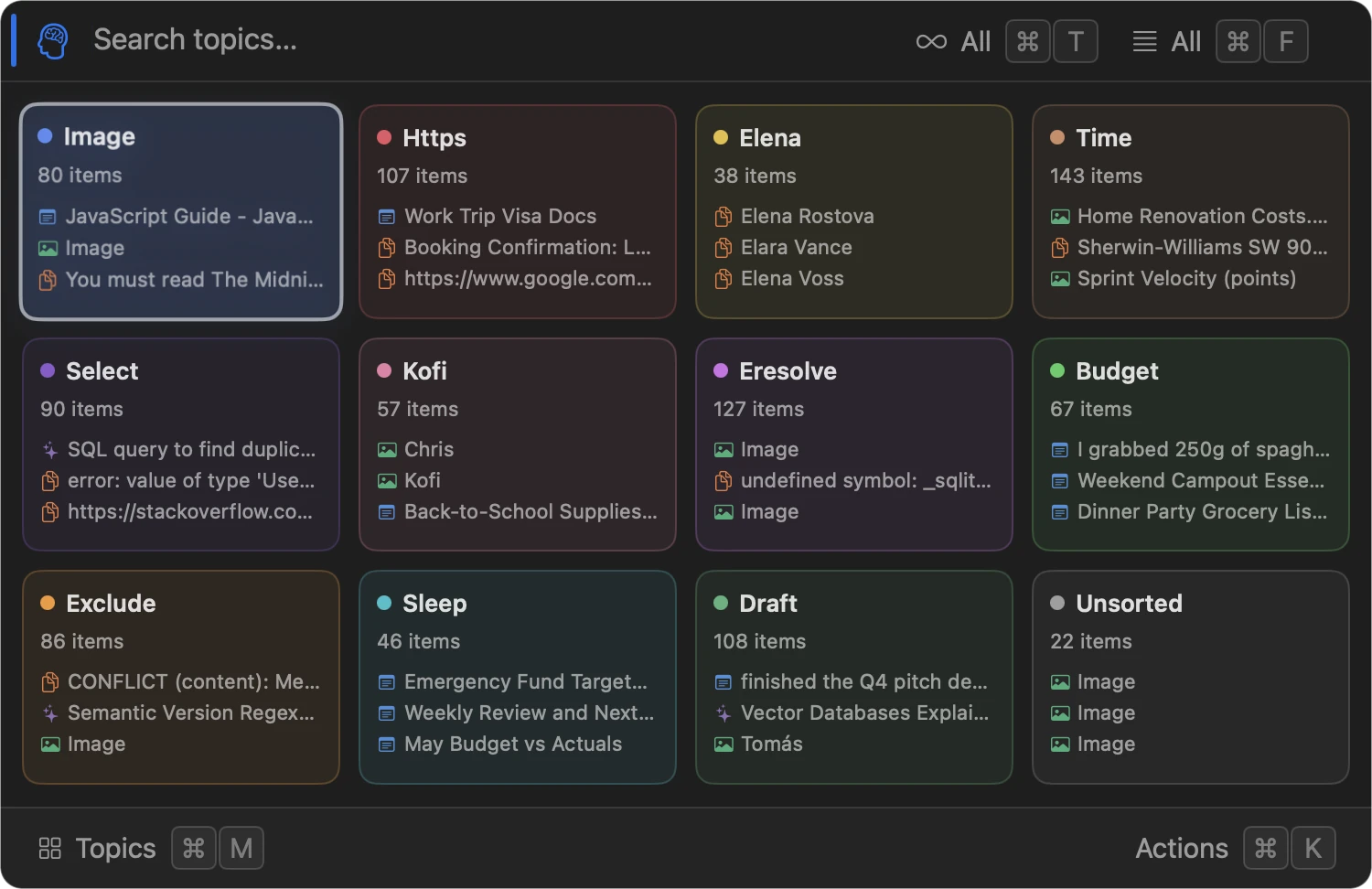
Topics groups your Stream by meaning, not by hand. Local embeddings cluster notes, clips, and screenshots into themes; each theme gets a card and an automatically chosen label.
How it works
- Every element is embedded on-device with an MLX model (Qwen3-Embedding by default). Nothing is sent anywhere – see Semantic search for how the embeddings themselves work.
- Clustering is K-Means over those embeddings, run locally. How many topics you get comes from how much you’ve collected – roughly the square root of half your library – so a few hundred items give a dozen cards and a few thousand give several dozen. The grid scrolls past the first four rows – drag the indicator on the right to move through it. A topic that grows into a catch-all – twice the size of an average one – is split in two rather than left as a bin.
- “Unsorted” is the bucket for records there’s nothing to group by: a two-character clip, a screenshot with no readable text, anything not yet embedded. It isn’t an overflow – a real group never lands there.
- Each topic’s label is picked automatically – no AI call, no manual naming. It’s the word most characteristic of that topic rather than the most frequent one: a word that shows up across every topic says nothing about any of them, so it’s weighted down. Items whose title is just their type (“Screenshot”, “Image”) are read from their text instead. A word only one item uses can’t name a topic either. When no single word earns the card, the topic is named after its two strongest words (“Docker · compose”) instead of being dissolved.
- Topics rebuild each time you open the mode, or on demand with Regenerate (⇧ ⌘ R) – it’s not a live view, so adding a note won’t reshuffle cards until you ask it to.
Using Topics
- ⌘ 2 opens the card grid. Arrow keys move between cards in all four directions; ⌃ H/J/K/L (vim) and ⌃ B/N/P/F (Emacs) apply first/next/prev/last instead – left/right only, no up/down. ⏎ opens a topic.
- Inside a topic, the list behaves like the Stream: same up/down navigation (including the vim/emacs keys – see Hotkeys), same Action Menu, same detail view, same Force Touch peek and drag-and-drop out of the window.
- Search inside Topics finds semantically similar elements – useful for “more like this” moments.